
· mQuark · Tutorials · 6 min read
Get started with mQuark Actionful
Start your journey with mQuark Actionful
Early Access Notice
Actionful is currently in early access. Features and behavior may change as we continue to refine the platform based on your feedback. We appreciate your patience and encourage you to share any issues or suggestions through our support channels.
Overview
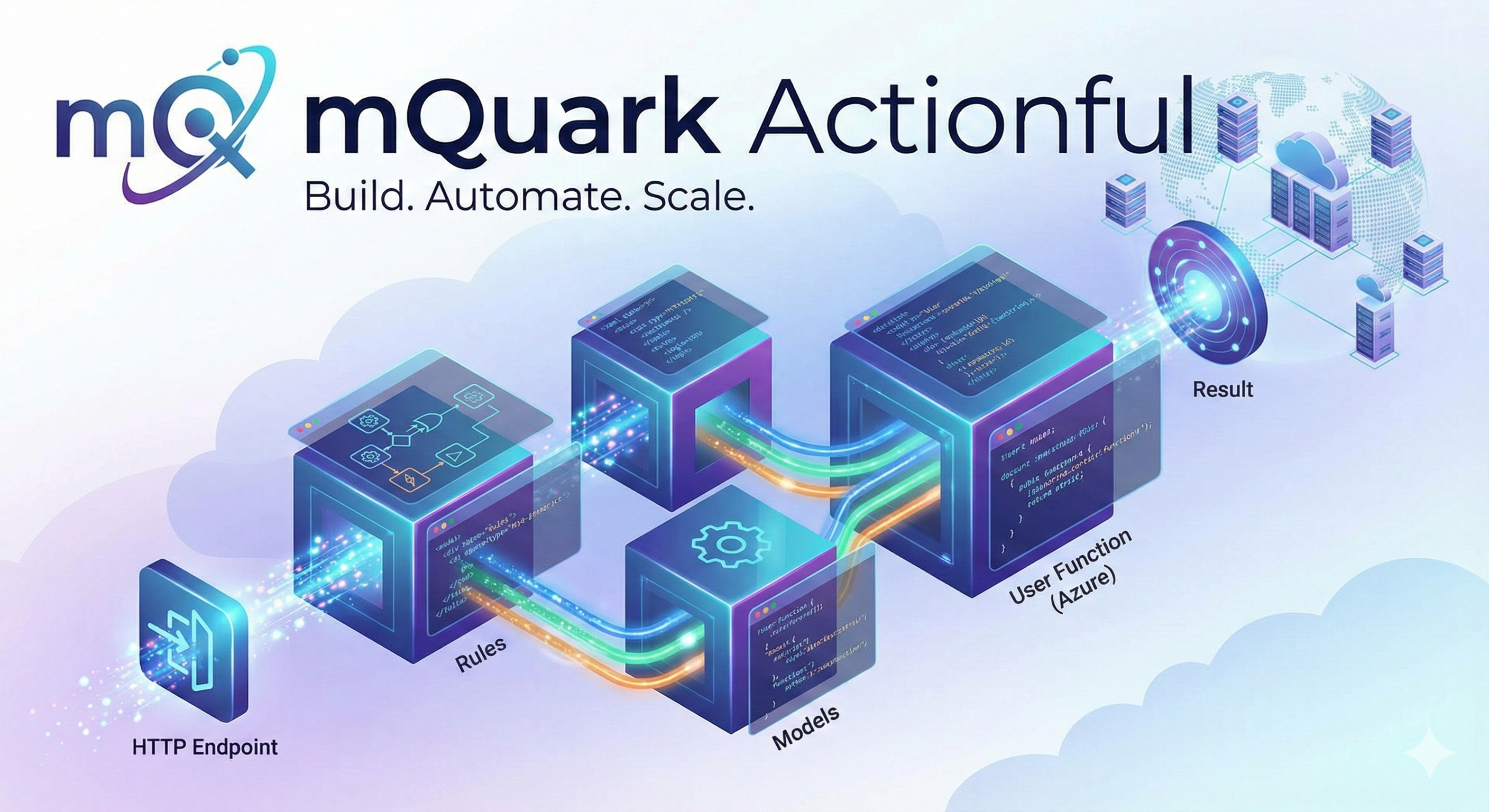
Actionful, a product by mQuark, is a web application for creating and managing compute workflows. Users can design workflows using a graphical interface or a code-first approach, combining predefined rule-based building blocks with custom JavaScript code. Once a workflow is designed, it can be triggered via an HTTP endpoint. The platform’s distributed and highly scalable architecture ensures that each request is processed efficiently, with the final result returned to the caller.
Getting Started
Account Registration and Login
To begin using Actionful, you must first create an account.
- New Users: Click the Register button and complete the registration questionnaire. After an mQuark administrator approves the request, you will receive an invitation email with a link to set up your password.
- Existing Users: Log in with your email and password.
Organizations and Workspaces
Upon logging in, you’ll see a dashboard listing your organizations and workspaces. To start working, create a new organization or accept an invitation to an existing one.
Organizations have three membership levels:
- Owner: Full control over the organization, including user management, ownership transfer, and billing.
- Admin: Full control except ownership and billing changes.
- Member: Can work within assigned workspaces based on their specific permissions but cannot add or delete workspaces.
Each Actionful organization operates under a subscription tier:
- Sandbox: A free tier with rate-limited resources — perfect for prototyping and getting started.
- Metered: A pay-as-you-go tier with no monthly platform fee; you pay only for what you execute.
- Custom: The same as Metered but with dedicated resources, enhanced support, and custom pricing for high-volume workloads.
Within an organization, access to a workspace is governed by three permission levels:
- None: No access to the workspace.
- Reader: Read-only access.
- Contributor: Full read/write access.
Once you have access to an organization and a workspace, you can begin creating artifacts: Rules, User Functions, Models, and Endpoints.
Core Building Blocks
Workflows in Actionful are constructed from three primary components: Models, Rules, and User Functions.
Type System and Models
Every element in an Actionful workflow is strongly typed. This ensures robust validation at design time and enables seamless composition of different elements without runtime surprises.
Supported Data Types
Actionful supports the following built-in data types:
| Type | Description |
|---|---|
void | No data — used for actions that produce no result |
boolean | True/false values |
numeric | High-precision decimal numbers |
string | Text values |
datetime | Dates and times |
object | A custom data structure (model), referenced by its name |
Containers: Scalar, Array, and Map
Every data type can be wrapped in one of three containers:
- Scalar (
type): A single value — e.g.,string,!numeric - Array (
type[]): An ordered collection — e.g.,string[],numeric[] - Map (
type[string]): A keyed collection — e.g.,string[string],object-name[string]
The ! prefix marks a value as required.
Defining Custom Models
Users can create their own data structures called Models. Model names must be lowercase, between 3 and 64 characters, and consist of alphanumeric characters separated by dashes (e.g., order-item, customer-profile).
A model contains one or more properties. Each property can be any built-in type (except void), another user-defined model, or a collection of either.
Example Models:
// The `address` model
Building: numeric
Street: string
Town: string
Zip: !string

// The `person` model
FirstName: !string
LastName: !string
DateOfBirth: datetime
Address: address
Hobbies: string[]
In the address model, Zip is required. In the person model, Address uses the address model as its type, and Hobbies is a collection of strings.
The Rules Engine
Workflows are built from predefined building blocks called Rules. You can create and edit rules using the graphical designer or directly in code. Actionful uses XAML (a dialect of XML) as its rule definition format.
Rule Categories
Every rule is categorized by the type it returns:
| Category | Returns |
|---|---|
| Action | void (no data) |
| Boolean | boolean |
| String | string |
| Numeric | numeric |
| DateTime | datetime |
| Object | A user-defined model |
| Array variants | boolean[], string[], numeric[], datetime[], or an object array |
| Structural | No fixed type — helpers used to construct arguments for other rules |
Composing Rules
Each rule can accept other rules as properties, allowing you to nest them into an expression tree. A workflow is ultimately a single root rule composed from many smaller rules — similar to how a mathematical expression is built from operators and values.
For example, a NumberToString rule has a Value property that expects any rule returning a numeric. You could provide a NumericConstant, a NumericAggregate, or the result of a CallFunction — all are valid because they return the right type.
Custom Rules (Sub-Workflows)
Complex or frequently used logic can be extracted into custom rules (also called sub-workflows). These are standard rules with a defined name, input type, and output type. To reuse one, call it with the CallRule rule, passing your input. This lets you decompose large workflows into focused, reusable components.
User Functions: Custom Code in Workflows
When the built-in rules aren’t enough, User Functions allow you to inject custom JavaScript (Node.js) logic directly into your workflows. Each function has a defined name, input type, output type, and a body of code. You can also add external NPM packages at the workspace level, making them available to all functions in that workspace.
Once defined, a User Function is called from your workflow with the CallFunction rule, which bridges your custom code and the rest of the workflow.
Workflow Examples
Example 1: Calculating a Square and Sending a Notification
This workflow takes a number, calculates its square, and POSTs a Slack message with the result.
// The `slack-message` model
text: !string<Http BodyType="slack-message" Method="Post">
<Http.Url>
<StringConstant Value="https://hooks.slack.com/services/some-webhook-id" />
</Http.Url>
<Http.Body>
<ObjectBuilder ShapeId="slack-message">
<KeyedRule Key="text">
<StringFormat Template="The square of $(input) is: $(result)">
<KeyedRule Key="input">
<NumberToString>
<GetInput />
</NumberToString>
</KeyedRule>
<KeyedRule Key="result">
<NumberToString>
<NumericAggregate Operator="Product">
<ArrayBuilder>
<GetInput />
<GetInput />
</ArrayBuilder>
</NumericAggregate>
</NumberToString>
</KeyedRule>
</StringFormat>
</KeyedRule>
</ObjectBuilder>
</Http.Body>
<Http.Result>
<Noop />
</Http.Result>
</Http>Example 2: Reusable Custom Rules
<!-- The `double` rule — adds a number to itself -->
<NumericAggregate Operator="Sum">
  <ArrayBuilder>
    <GetInput />
    <GetInput />
  </ArrayBuilder>
</NumericAggregate>

<!-- The `square` rule — multiplies a number by itself -->
<NumericAggregate Operator="Product">
  <ArrayBuilder>
    <GetInput />
    <GetInput />
  </ArrayBuilder>
</NumericAggregate>

<!-- The `square-or-double` rule -->
<!-- Squares the input if negative, doubles it otherwise -->
<Conditional>
  <NumericRelation Operator="LessThan">
    <NumericRelation.Left>
      <GetInput />
    </NumericRelation.Left>
    <NumericRelation.Right>
      <NumericConstant Value="0" />
    </NumericRelation.Right>
  </NumericRelation>
  <Conditional.IfTrue>
    <CallRule Reference="square">
      <GetInput />
    </CallRule>
  </Conditional.IfTrue>
  <Conditional.IfFalse>
    <CallRule Reference="double">
      <GetInput />
    </CallRule>
  </Conditional.IfFalse>
</Conditional>
Executing Workflows with Endpoints
To trigger a workflow from an external application, create an Endpoint. You can have as many endpoints as you need within a workspace.
Creating an Endpoint
When you create an endpoint, you select an entry rule. Actionful takes a snapshot of that rule along with all models and user functions it references, producing a unique, immutable HTTP endpoint. The endpoint inherits the input and output type signature of its entry rule.
Immutable Versioning
Once created, an endpoint is immutable: changes to your rules, models, or user functions do not affect existing endpoints. To publish a new version, create a new endpoint and retire the old one when ready.
Calling an Endpoint
Endpoints are triggered with a standard HTTP POST request:
curl -X POST 'https://engine.mquark.com/api/workflows/org/space/endpoint' \
  -H 'Authorization: Basic <auth-token>' \
  -H 'Content-Type: application/json' \
  -d '<json-payload>'
Summary
Actionful is a strongly-typed, scalable workflow platform from mQuark. Workflows are built from composable Rules using a graphical designer or XAML code. For complex logic, User Functions let you write custom JavaScript. Custom Rules promote reuse across your workspace. Endpoints provide stable, versioned HTTP access to your workflows. Everything in the platform is validated against a strict type system, so errors surface at design time — not in production.