· mQuark · Technical Guides · 3 min read
Precision Automation: The mQuark Actionful Type System
Deep dive into the type system that powers Actionful workflows

In many workflow automation platforms, data is treated as an unpredictable blob of JSON passed from one step to the next. This lack of structure leads to runtime errors discovered only when a workflow fails in production.
At mQuark, we built Actionful on a foundation of rigorous typing. Every piece of data in an Actionful workflow is strongly typed, ensuring that your automation is robust, predictable, and easy to maintain.
The Taxonomy of Data: Kind and Container
Actionful’s type system distinguishes between what data is and how it is organized. Every type is defined by two dimensions.
1. Data Kind — “What”
The base primitive or data structure:
| Kind | Description |
|---|---|
void | No return value — used for actions |
string | Text values |
boolean | True or false |
numeric | High-precision decimal values — suitable for financial and mathematical logic |
datetime | Temporal data including date and time |
object | A structured custom type identified by a unique model name |
2. Container Type — “How”
The dimensionality or organization of that data:
| Container | Syntax | Description |
|---|---|---|
| Scalar | type | A single value |
| Array | type[] | An ordered, index-based collection |
| Map | type[string] | A keyed collection where values are accessed by string keys |
By combining these two dimensions, you can express any data shape precisely:
| Expression | Meaning |
|---|---|
string | A single string |
!numeric | A required number |
string[] | A list of strings |
!boolean[] | A required list of booleans |
customer-profile[string] | A map of customer profiles keyed by string |
The ! prefix marks a value as required. Omitting it means the value is optional.
The “Mathematical Ring” of Actionful
In mathematics, a ring is a set where operations are “closed” — the result of any operation is always another element within the same set.
Actionful’s workflow engine works the same way. Workflows are built from Rules, and every rule is categorized by the data type it returns:
- A
NumericRulealways returns anumericvalue. - A
StringRulealways returns astringvalue. - Logical rules like
AndorOralways return aboolean.
Because every rule has a fixed output type, you can nest rules within each other to form an expression tree. No matter how complex your logic becomes, the type system validates every connection at design time. You cannot accidentally pass a string to a property expecting a numeric — the system catches it before the workflow ever runs.
Custom Models: Speaking Your Business Language
While primitives are the building blocks, your business logic lives in Models — custom data structures that mirror your real-world requirements.
Models are defined using the same typing rules as built-in primitives. Properties can be marked required with ! and declared as collections with [].
Example Model Definitions:
// The `address` model
Building: numeric
Street: string
Town: string
Zip: !string

// The `person` model
FirstName: !string
LastName: !string
DateOfBirth: datetime
Address: address
Hobbies: string[]
Tags: string[string]
The person model uses the address model as a nested type, demonstrating how you build complex, validated hierarchies. Tags is a string map — for example, { "role": "admin", "region": "eu" }.
Model names follow the artifact naming convention: lowercase, 3–64 characters, alphanumeric with dashes (e.g., order-item, customer-profile).
Why Strong Typing Matters
The benefit of this system is design-time confidence. When you create an Endpoint to execute a workflow, Actionful takes a snapshot of your rules and models, creating an immutable version of your logic.
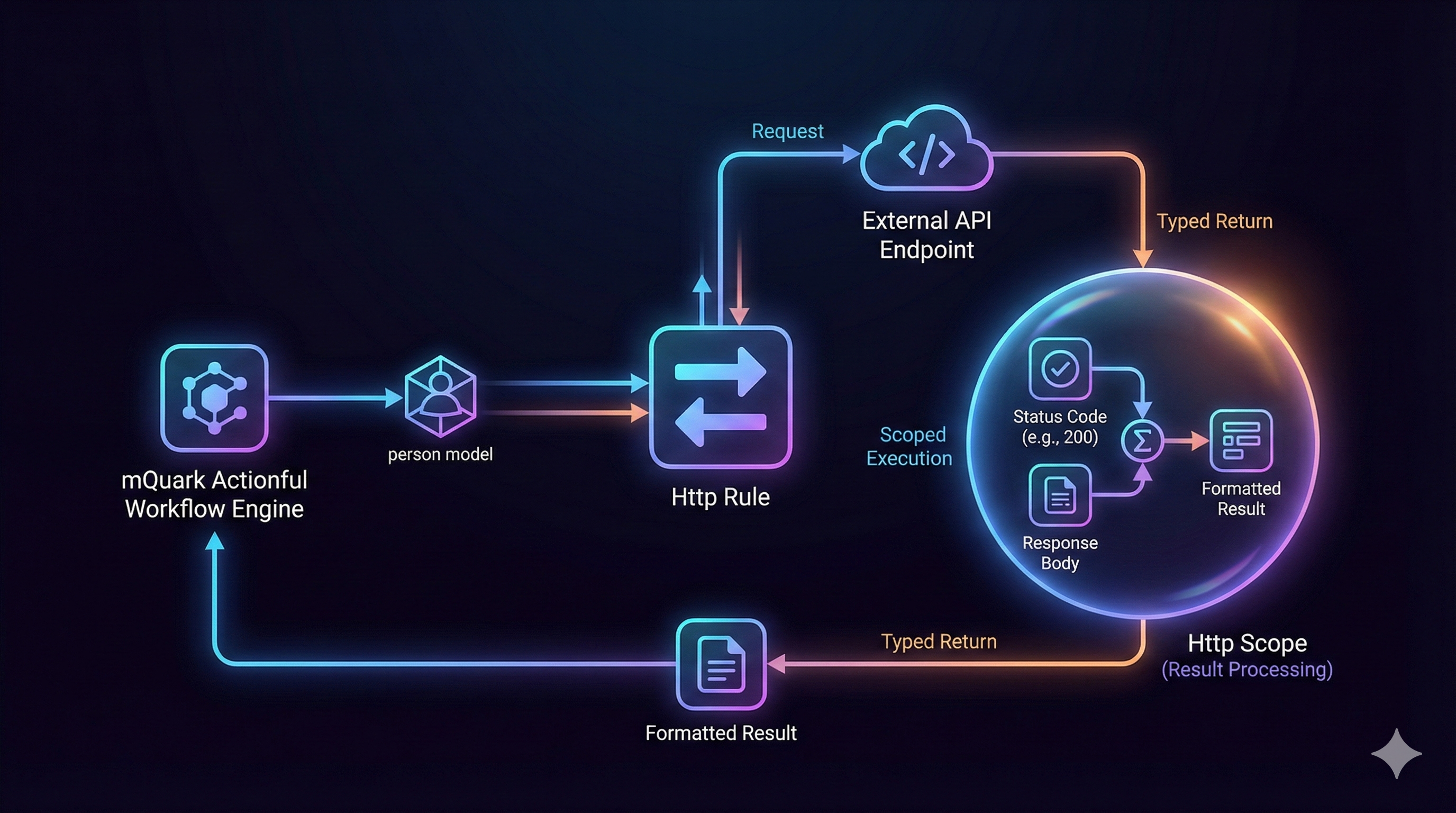
Whether you are using the Http Rule to exchange data with external APIs or injecting custom logic via User Functions, the type system acts as a guardrail at every step. Data flowing into your workflow, through your logic, and out to your callers is exactly what you declared it to be.
There are no runtime type surprises. Errors surface where they are cheapest to fix: during design.
Ready to experience logic-driven automation?